
Password Protection
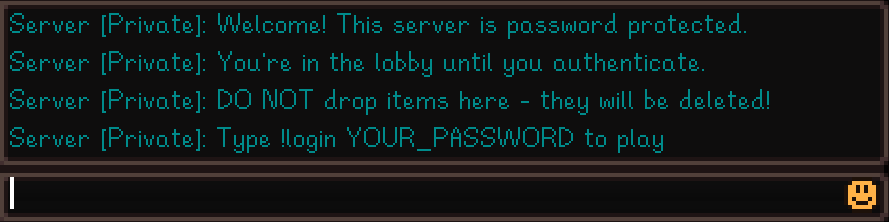
Players authenticate before accessing your farm. While waiting, they're held in an isolated lobby cabin where they can't interact with the game world.
Why Password Protection?
Public or semi-public servers face challenges:
- Griefing prevention: stop unauthorized players from destroying crops or stealing items
- Whitelist control: share the password only with trusted friends
- Graceful onboarding: new players wait in a lobby instead of spawning mid-farm
How It Works
- Player connects: immediately warped to an isolated lobby
- Authentication: player types
!login <password>in chat - Access granted: player warps to their cabin (new) or last position (returning)
Unauthenticated players:
- Can't leave the lobby (exit is blocked)
- Can't interact with anything (all actions blocked)
- Get kicked after a timeout (configurable)
- Have limited login attempts before kick
Don't drop items in the lobby
Items dropped in the lobby are lost. Wait until you've authenticated before dropping anything.
Quick Setup
1. Set the Password
Add to your .env file:
sh
SERVER_PASSWORD=your_secure_passwordThat's it! Password protection is now active.
2. Optional Settings
sh
# Maximum failed attempts before kick (default: 3)
MAX_LOGIN_ATTEMPTS=3

# Seconds before auto-kick, 0 to disable (default: 120)
AUTH_TIMEOUT_SECONDS=120
3. Lobby Mode
In server-settings.json:
json
{
    "Server": {
        "LobbyMode": "Shared",
        "ActiveLobbyLayout": "default"
    }
}| Mode | Description |
|---|---|
Shared | All waiting players share one lobby. They can see each other but can't interact. |
Individual | Each player gets their own isolated lobby instance. Complete privacy. |
Disabling Password Protection
To disable password protection entirely (for private servers with trusted friends), simply remove or comment out the SERVER_PASSWORD line in your .env file:
sh
# SERVER_PASSWORD=your_secure_passwordRestart the server for changes to take effect. Players will connect directly without seeing a lobby.